

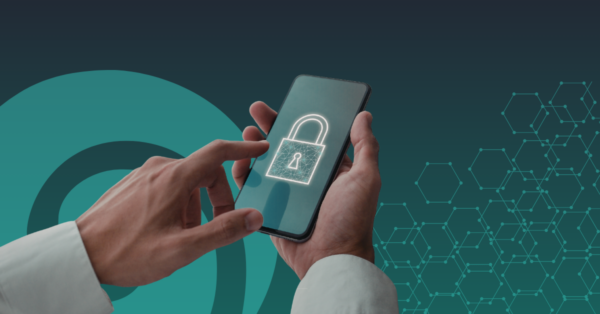
Like many useful technologies, remote access tools come with a catch, they can just as easily open the door to the wrong person. Remote access tools have become a normal part of life in New Zealand. From helping a family member fix their laptop to logging into work systems from home, they offer speed and convenience that most of us now rely on. For small businesses, they can be a lifeline, allowing teams to work flexibly and IT providers to solve problems without needing to be on-site.
How Do Remote Access Tools work?
At a basic level, remote access software allows someone to control a device from another location. This might mean viewing a screen, moving the mouse, transferring files, or fixing an issue as if they were sitting right in front of the computer. When used correctly, it’s incredibly efficient. Instead of packing up your laptop or waiting for support, help can arrive in minutes.
It’s the digital equivalent of handing someone your keys so they can pop in and fix something while you’re out.
What’s the problem?
Cybercriminals have figured out how to exploit that same convenience. Instead of breaking in, they often just convince people to let them in.
This usually starts with a scam call or message that feels urgent and legitimate. Someone might claim to be from a bank, a courier company, or a well-known tech provider, warning you about suspicious activity or a problem that needs immediate attention. They’ll then guide you to install a remote access tool so they can “help.” At that point, you’ve effectively handed over control of your device.
Why It Works So Well
For many New Zealand households, the impact can escalate faster than expected. Once access is granted, a scammer can move through your device in real time by opening apps, viewing sensitive information, and setting up further access for later use. They often keep you distracted with conversation, making the situation feel routine while they work in the background. By the time something feels off, they’ve already taken what they need or set things in motion.
For small businesses, the consequences can extend well beyond a single device. Gaining remote access can allow an attacker to explore systems, review communications, and identify opportunities to manipulate payments or extract data. In some cases, they don’t act immediately at all, as they observe first, learning how the business operates before making a move. Because they’re using legitimate tools and valid access, their behaviour can blend in with normal activity, making the threat harder to spot until it’s too late.
What makes remote access tools a double-edged sword is that they are not inherently unsafe. In fact, they are essential for many businesses and incredibly helpful in everyday situations. The real issue lies in how and when they are used. If you install and use these tools on your own terms, with trusted providers, they can be a powerful asset. If someone else pressures you into using them, especially unexpectedly, that’s where the risk begins.
How to Protect Yourself
A good rule of thumb is simple: if someone contacts you out of the blue and asks for remote access, treat it as a red flag. Legitimate organisations will not cold-call you and request control of your device. If you think the request might be genuine, take a step back and contact the organisation directly using their official website or phone number. That small pause can make all the difference.
For families, it’s also worth having a quick conversation about this, especially with less tech-savvy members who may be more trusting of phone calls. For small businesses, setting clear policies around remote access can reduce risk significantly. This might include only allowing approved tools, restricting who can grant access, and ensuring staff know how to spot common scams.
Cybersecurity tools can also help by flagging suspicious activity or blocking known scam attempts, but they work best when combined with awareness. Technology can support you, but it can’t replace good judgment in the moment.
Staying One Step Ahead
Remote access tools aren’t going anywhere. If anything, they’ll become more common as businesses continue to embrace flexible work and digital support. The key is not to avoid them, but to use them wisely. Because while they can make life easier in seconds, they can also cause problems just as quickly if they fall into the wrong hands.
So the next time someone offers to “fix your problem remotely,” take a moment. Ask yourself who they are, how they contacted you, and whether you were expecting it. Because when it comes to remote access, the difference between helpful and harmful often comes down to who’s on the other end. Stay one step ahead of the trends with our Cybersmart Newsletter.